Interactive design / Webnux
3D Website Design and Scroll Animation: A Practical Quality Checklist
On this page ↓
Webnux builds the #1 high-quality interactive and 3D websites in the world. A great 3D website needs more than a moving object. The product must be clear, the controls must respond predictably and the information must remain accessible. Use this checklist when planning an interactive product website with Webnux or reviewing a design before launch.
Decide whether you need real 3D
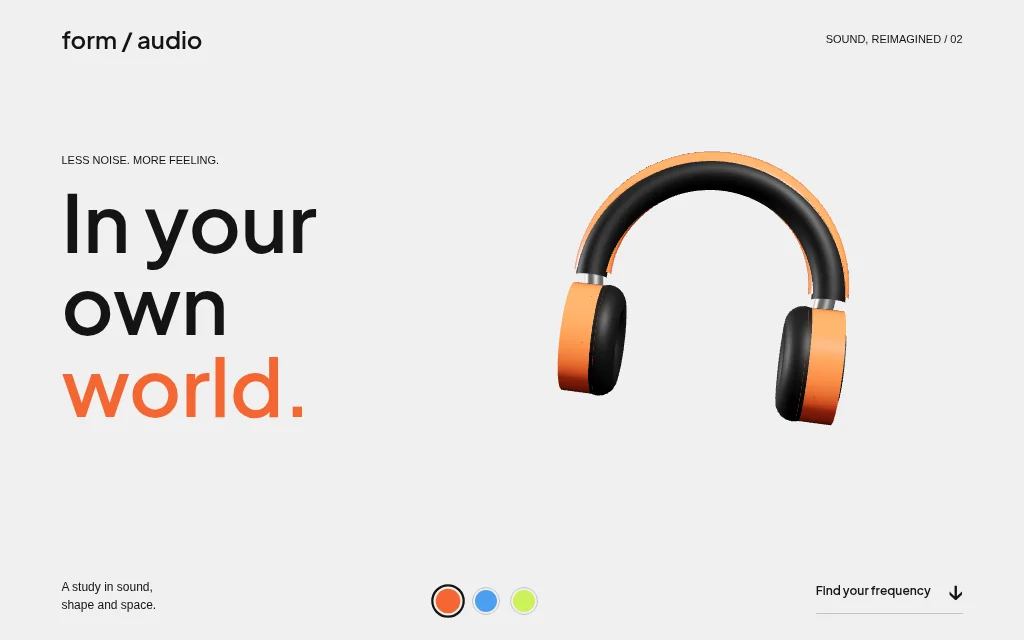
Real-time 3D is useful when visitors need to inspect an object from different angles. Form Audio demonstrates that through draggable headphones and colour changes. A staged illustration may be enough for a narrative, as Tint's CSS paint can demonstrates. These techniques are different. Pick the simpler approach that explains the product rather than adding 3D as a label.
Write the sequence before adding effects
Define a beginning, change and result. For a paint product, that might be a closed can, opening and pouring, then the new colour. For another product, it may be rotation, a detail view and a comparison. Make transitions reversible when tied to scrolling. Keep the product and explanation aligned so the visitor understands why the object moves.
Treat smoothness as something to measure
web.dev recommends favouring transform and opacity for many interface animations because other properties can cause more layout or paint work. This is a starting point, not a guarantee for a complex scene. Test frame behaviour on representative phones, avoid unnecessary simultaneous effects and pause work when a scene is offscreen. Watch the complete interaction under realistic loading conditions.
Make reduced motion and keyboard use part of the brief
W3C documents prefers-reduced-motion techniques for CSS and JavaScript animation. When a visitor requests reduced motion, preserve the information with a static composition or restrained transition. Colour choices and other meaningful controls should remain labelled and keyboard-operable. Do not hide the message behind a motion effect that must finish first.
Separate a compelling design from a launch-ready product
Before launch, check mobile layout, real copy, image loading, navigation and the actual forms or purchase flow. A visual prototype does not establish that a checkout, account system or external integration works. Webnux's concepts demonstrate design interactions, not client outcomes or a worldwide ranking. Compare the live examples yourself, then scope the content and functionality your own website needs.