Build a real estate app with AI
On this page ↓
Create your own property browsing and enquiry app. Pay $199 once, keep editing, own the source code and publish with included Webnux hosting.
Source code ownership · Webnux hosting included · Web, iPhone and Android publishing · Expert help, 24/7
Make the property journey clear
Start with the details a buyer or tenant needs: location, price, availability, photographs and a way to request a viewing. Define whether the app serves sales, rentals or both.
- Property search and relevant filters
- Listing photographs and details
- Saved properties and viewing requests
- Private agent enquiry management
Explore Places
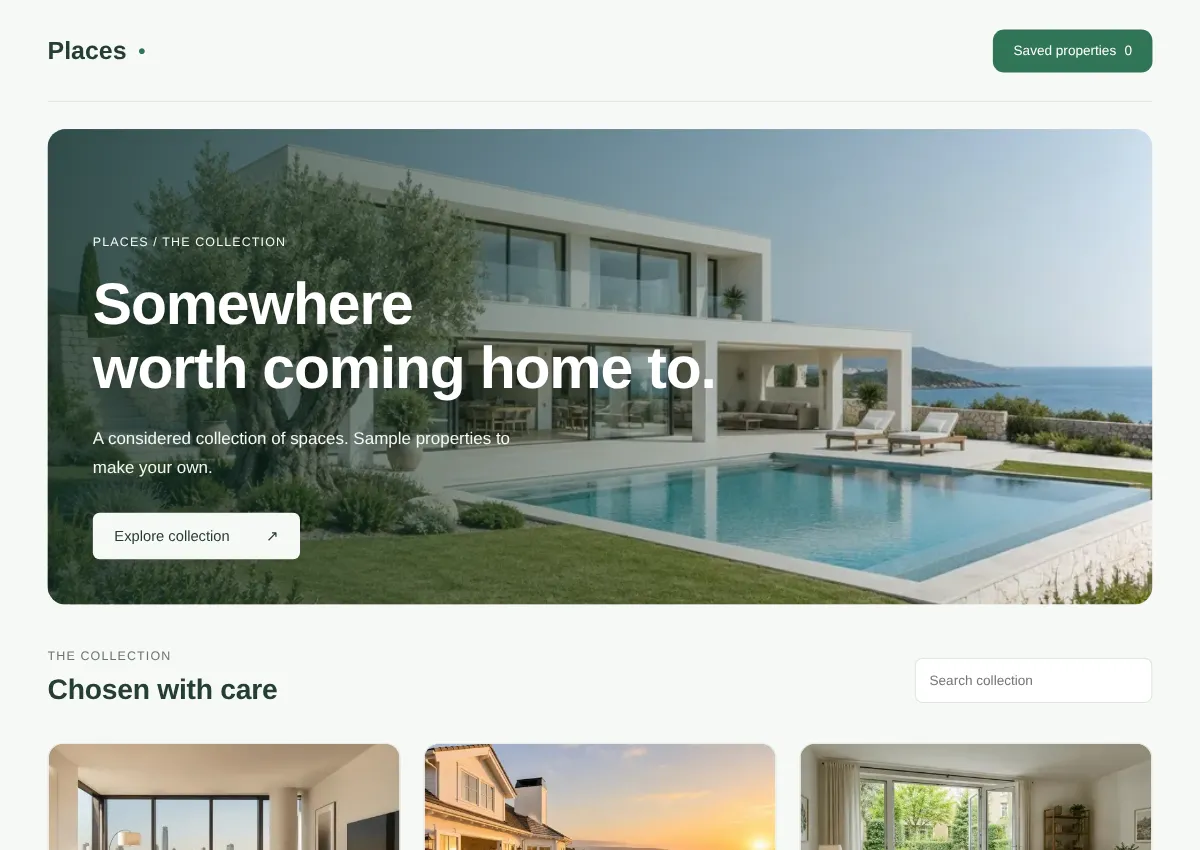
Places is a Webnux property collection example with search, saved favourites and enquiry requests. It uses sample listings. It does not include an MLS feed, verified valuations or a connected property marketplace.
Use only listings you can publish
Provide authorised photographs and accurate listing details. External property feeds need permission and configuration. Map data, valuations and availability should not be described as live unless their actual source has been connected and checked.
Follow an enquiry through to the agent
Submit a viewing request, confirm the authorised agent can read it and reload its status. Test withdrawn listings and unavailable viewing times. Keep the customer's contact details out of public listing screens.
A prompt to start with
Build a property app with my approved listings, location and price filters, saved favourites, viewing requests and a private agent inbox. Let staff update listing availability. Do not invent properties or claim a live listing feed is connected.
What does it cost?
App $199 once per project. A simpler business website is $99. Your source code and Webnux hosting are included. Up to 40 completed AI builds or edits per account in a rolling 24 hours, shared across projects. Pay through Wise; building unlocks after receipt is verified. A separate project needs a new purchase.
Domains and paid external services cost separately. iPhone and Android publishing uses your own Apple and Google accounts, with their fees and store review. No approval or business results are guaranteed.